Topic-Led Assignments
Choose a subject and focus on one topic at a time, with 30-question practice batches where available. Smaller age-appropriate sets support younger learners.
Digital learning for Kenyan schools and families
Master your exams with topic-led assignments, instant feedback on supported auto-marked questions, personalised study plans, and interactive 3D STEM labs.
Read the Assignment Hub blog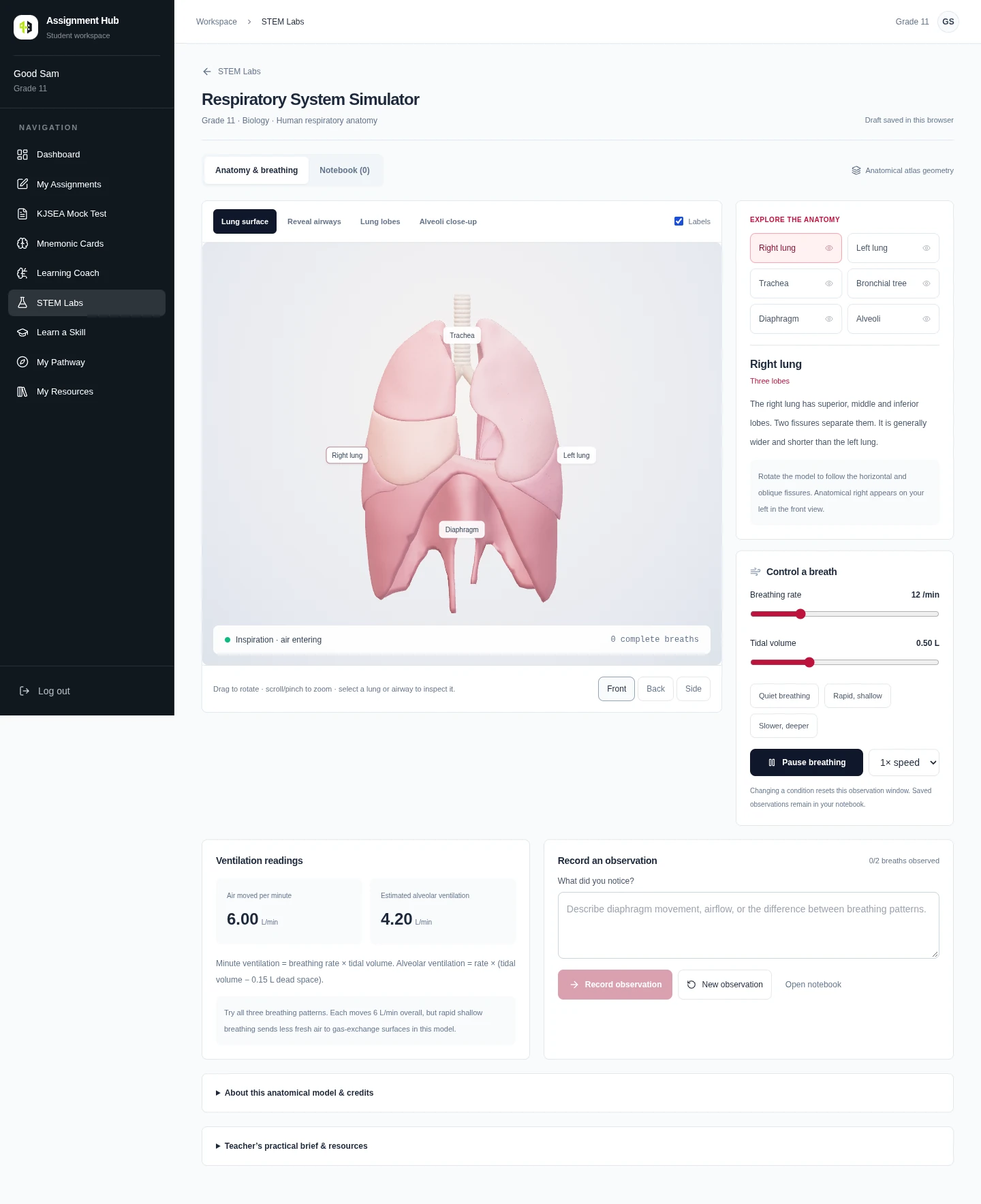
Grade 11 Biology: rotate the lungs, adjust breathing rates and explore breathing mechanics. Available activities follow your grade and subjects.
Explore STEM Labs →Illustrative workspace records. Available activities depend on grade and subject.
The AI Advantage
Choose a subject and focus on one topic at a time, with 30-question practice batches where available. Smaller age-appropriate sets support younger learners.
Get prompt feedback on auto-marked work. SymPy verifies supported exact Math and Chemistry calculations, with explanations to help you understand your answer. Teacher-reviewed work follows its release schedule.
Use your assessment results to identify weaker topics, build a personalised weekly study timetable and revise with published cheat sheets.
Practise against the clock with subject papers, relevant diagrams and explained answers. Use mock results and school projections to plan your next steps.
The problem
Printing, distributing and recovering paper assignments costs time and money, while students still need timely feedback and a clear learning plan.
Revision materials scattered across books, chats and PDFs
Feedback that arrives after the class has moved on
Practical concepts without enough time in the lab
Study time spent without a clear view of weaker topics
Every stage of learning
01
Play-based activities, foundational literacy and numeracy build confidence for primary-school learning. No pathways to choose.
02
Explore integrated science and pre-technical skills, with topic practice and KJSEA mock preparation.
03
Follow STEM, Social Sciences or Arts and Sports Science pathways, with subject-specific 3D labs, SBA tracking and KCBE mock practice.
How it works
01
Open published work for your grade and enrolled subjects. Start with one topic and a manageable practice set.
02
Answer in your workspace and save your progress. Timed mock papers help you practise working against the clock.
03
Review released marks and explanations, revisit difficult concepts, and use your study plan to prepare for the next set.
One shared view of learning
Track Grade 10 and Grade 11 SBA with 15% + 15% weighting in your KCBE planning dashboard. Teachers see only their assigned streams and subjects. Principals see school-wide projected grades. Projections are estimates, not official KNEC results.
Publish topic-led assignments, follow submissions and focus feedback on the concepts your assigned learners need.
Open work for your grade and subjects, practise one topic at a time and build understanding through feedback and practical activities.
Follow clearer learning reports and help your child build a steady revision routine.
Beyond submission
Published cheat sheets and illustrated recall cards help learners revisit key concepts alongside topic practice.
Guided labs, coding activities and skills workspaces connect coursework to practical learning.
Teachers and schools can see performance patterns instead of waiting for paper records to be compiled.
Responsive workspaces support entry-level Android phones, tablets and shared school computers.
Free CBC / CBE practice · Grade 7
Five questions, worked answers and a fresh start whenever you need one. No registration or payment needed for these public practice quizzes.
Supplementary practice to use alongside class notes and teacher guidance.
Access
Individual learners
Create an independent learner account, then confirm your M-Pesa payment. Topic practice, study plans, feedback and practical skills stay together.
Create learner accountSchools
School-wide SBA projections, stream-scoped teacher access, learner reports and onboarding support. Contact us to arrange your school account.
Request a school demoSimple by design
Students do not need a new app or expensive device. They sign in through a browser, complete the work at their pace and return to one familiar workspace.
Assignment Hub supports grade-specific learning from Grade 1 to Grade 12, with early-years activities for PP1 and PP2. Available subjects, reviewed assignments and practical activities depend on the learner's grade and published content. Senior-school content also follows the learner's selected subjects.
Yes. Our public free revision collection currently includes Grade 7 Mathematics and Integrated Science samples with questions and worked answers. No account or payment is needed for these samples. Individual workspace access costs KES 300 per month after registration.
Auto-marked questions provide feedback after submission and result release. Supported exact mathematics and chemistry calculations use SymPy verification. Teacher-assessed work and unsupported calculations may need review; not every question is marked instantly.
The Learning Coach uses available assessment results to identify weaker topics and help create a weekly study plan. Study sessions can use active recall, spaced repetition and interleaving. Published cheat sheets support topic revision.
No. These are independent, timed practice papers, not official KNEC papers or predictions. School SBA and mock projections are planning estimates, not official national examination grades.
No app installation is needed. Use a compatible modern browser on a phone, tablet or computer with internet access. Interactive 3D labs require a device and browser that support WebGL.
Schools contact Assignment Hub for onboarding at KES 200 per learner per year. Teachers access only their assigned streams and subjects; school administrators can view school-wide reports and SBA projections. Contact us on WhatsApp at 0748 519 923.
Start a conversation
See how assignments, feedback, resources and learner support work together in one school workspace.
WhatsApp: 0748 519 923